

Audit Your Google Business Profile With One Gemini Prompt
How to Audit Your Google Business Profile With One Gemini Prompt (Free)
Intro
Most businesses set up a Google Business Profile, fill in the basics, and never touch it again. Then they wonder why competitors with less experience keep showing up above them in local search.
The problem is rarely effort. It’s that nobody tells you exactly what’s missing.
Google now lets you connect your Business Profile directly to Gemini, which means you can hand your actual profile data to an AI and ask it what’s wrong. Below is a prompt that runs a complete audit, finds your keyword gaps, and hands back a 30-day posting plan — in a single response, at no cost.
What This Actually Does
Once connected, Gemini can read your real profile: your reviews, customer questions, listing details, and performance data. It isn’t guessing based on your business name — it’s working from what’s actually on your profile.
That matters, because generic GMB advice (“add more photos!”) is useless without knowing how many photos you currently have. This gives you specifics.
Before You Start — Who Can Use This
Worth checking these first, because the connection has real limits and it’s frustrating to discover them halfway through:
- You must manage exactly one verified Business Profile. If you have access to more than one, the feature won’t be available. (Agencies and multi-location businesses: this is the one that will catch you out — see the note further down.)
- You need a personal Google account. Work and school accounts aren’t supported yet.
- “Keep Activity” must be switched on in your Gemini settings, or the connection won’t work.
- Not available in the EEA or UK. India, and most other regions where Gemini operates, are fine.
- Still rolling out gradually, so it may not appear in your account yet even if you meet every requirement.
How to Connect Your Profile

- Open gemini.google.com and sign in with the Google account that owns your Business Profile
- Start a new chat and type @Google Business Profile — this tells Gemini explicitly which app you want it to use
- If your profile is eligible, Gemini will offer to connect. Review the permissions screen, then accept
- Confirm it worked by asking something simple like “What are my current business hours?” — if it answers from your real profile, you’re connected
You can disconnect at any time from Connected Apps in your Gemini settings.
The Prompt — Copy This
Paste this into a new chat once your profile is connected:
You are a local SEO expert and Google Business Profile specialist. I’ve connected my Google Business Profile to this chat. Please do the following:
- FULL GMB AUDIT Analyse my current Google Business Profile and give me a complete audit covering:
- Business name, category, and subcategories — are they optimised?
- Business description — keyword usage, length, and clarity
- Services listed — are they complete and keyword-rich?
- Photos — quantity, types, and recency
- Posts — frequency and content quality
- Reviews — quantity, rating, and response rate
- Q&A section — is it populated?
- Website link and other attributes
- Any missing fields or incomplete sections
- KEYWORD OPPORTUNITIES Based on my business type and location, give me:
- 20 primary keywords I should be ranking for
- 10 long-tail local keywords (service + location combinations)
- Keywords I can naturally add to my business description
- Keywords I can add to my services section
- Keywords I should target in my GMB posts
- OPTIMISATION RECOMMENDATIONS Tell me specifically what to change, add, or remove to rank higher in local search:
- Rewrite my business description with the right keywords included
- Services to add or edit
- Missing attributes to fill in
- Photo strategy — what types to upload and how often
- Category recommendations based on what competitors in my area use
- GMB POSTING PLAN — 30 DAYS Create a full 30-day posting plan covering different keyword themes:
- Post type for each post (offer, update, event, or product)
- Topic and target keyword
- Short suggested caption — keyword-rich, under 150 words
- Best days to post each week
Output everything in a clear, structured format I can action immediately.
What You Get Back
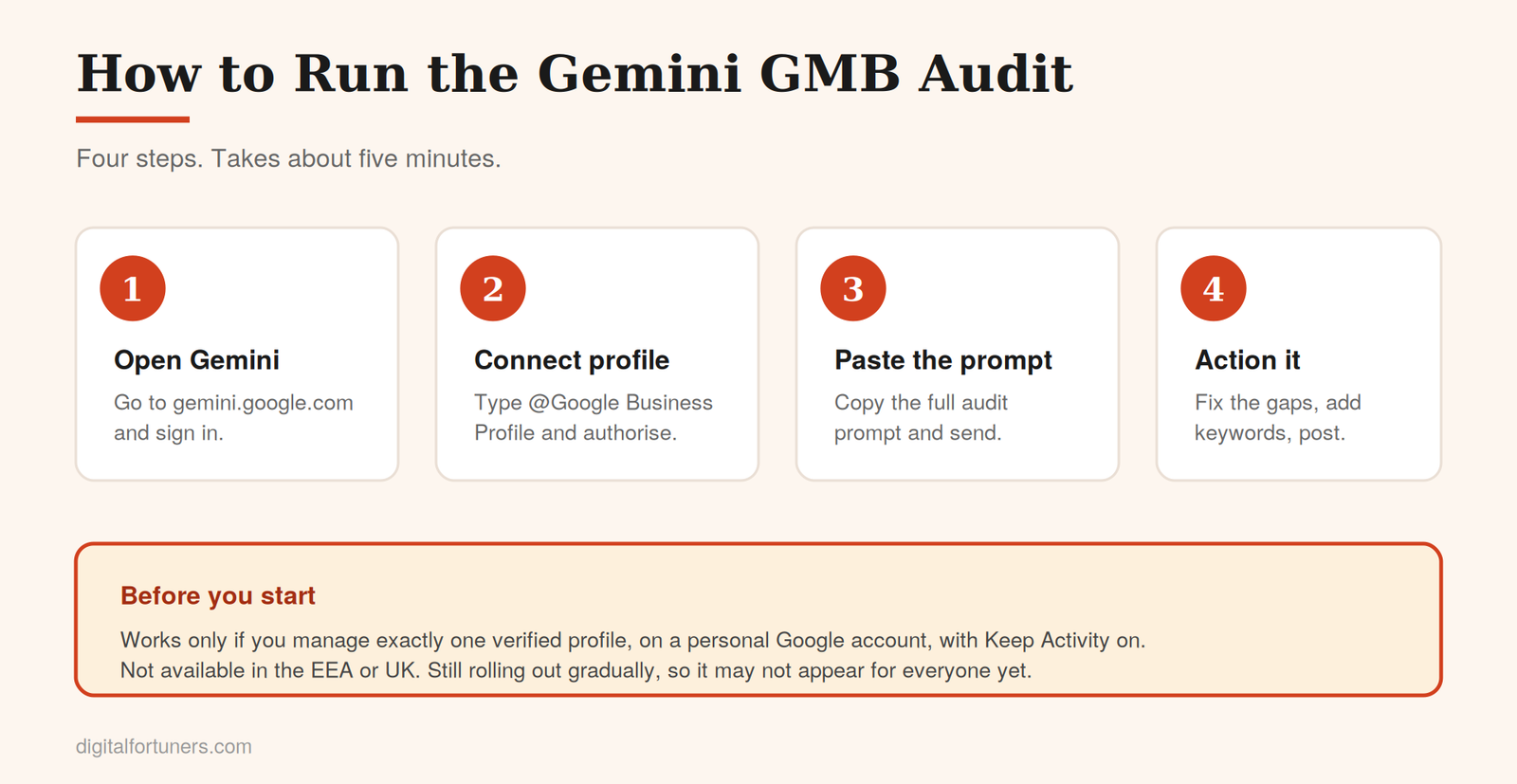
The response comes back in four parts: a field-by-field audit with every gap flagged, thirty keywords split into primary and long-tail, a set of specific fixes including a rewritten business description you can paste straight in, and a thirty-day posting calendar with draft captions.
What to Do With the Output
The audit is only useful if you act on it. In order of impact:
Fix the blank fields first. Empty sections are the cheapest wins available — services with no descriptions, missing attributes, an unpopulated Q&A. These take an afternoon and cost nothing.
Replace your business description. Paste in the rewritten version, but read it first. If it doesn’t sound like your business, edit it. A description stuffed with keywords but stripped of personality converts worse, even if it ranks slightly better.
Add the keywords where they belong. Your services section and posts are the natural homes. Don’t force all thirty terms into your description — that reads as spam to both Google and customers.
Start the posting plan. Weekly posting is one of the strongest signals that a profile is active, and an active profile outperforms a dormant one. Batch-schedule a month at a time rather than trying to remember each week.
Then check your website matches. Your profile and your site need to tell the same story — identical name, address and phone, and ideally a dedicated page for each service you list. If your website contradicts your profile, you’re undermining both.
What This Won’t Do
Being straight about the limits, because a tool oversold is a tool misused.
It won’t fix anything for you. It produces recommendations. Somebody still has to open the profile and make the changes.
Its keyword suggestions need sanity-checking. The keywords come from Gemini’s understanding of your business type and area, not from live search volume data. Some will be genuinely valuable, some will have almost no search demand behind them. Cross-check the ones you plan to build content around.
It doesn’t replace the rest of local SEO. Citations, review generation, local link building and on-site work all sit outside what this covers. Your profile is one part of local ranking, not the whole of it — our full local SEO and GBP management approach covers the rest.
And if you manage multiple profiles, this won’t work at all. Agencies, franchises, and multi-location businesses are excluded by the single-profile requirement. If that’s you, the workaround is to run it from the client’s own account with their permission, or audit manually against the same checklist the prompt uses.
Run It Monthly
One audit tells you where you stand today. Running it monthly tells you whether you’re improving.
Each month, check your GBP Insights to see which posts actually got views, then feed that back into the next plan. Over a few cycles you’ll learn which post types and keyword themes work for your specific business — which is more valuable than any single audit.